
Just talk. Get polished text.

Hold a key, talk, let go.
The text lands at your cursor, in the app you are using.

Coming soon

macOS 26 or later · Mac with Apple silicon · Beta. Built for Japanese; English is in beta.

Say “Could you review the materials for um, Tuesday's, I mean, Friday's meeting? 3 p.m. works for me.” and “Could you review the materials for Friday's meeting? 3 p.m. works for me.” is typed.

False starts disappear.

What you said

Um, the meeting is on Tuesday, I mean, Friday at 3.

What was typed

The meeting is on Friday at 3.

About 0.1 seconds from when you stop talking to when the text appears.

Select text, rewrite it by voice.

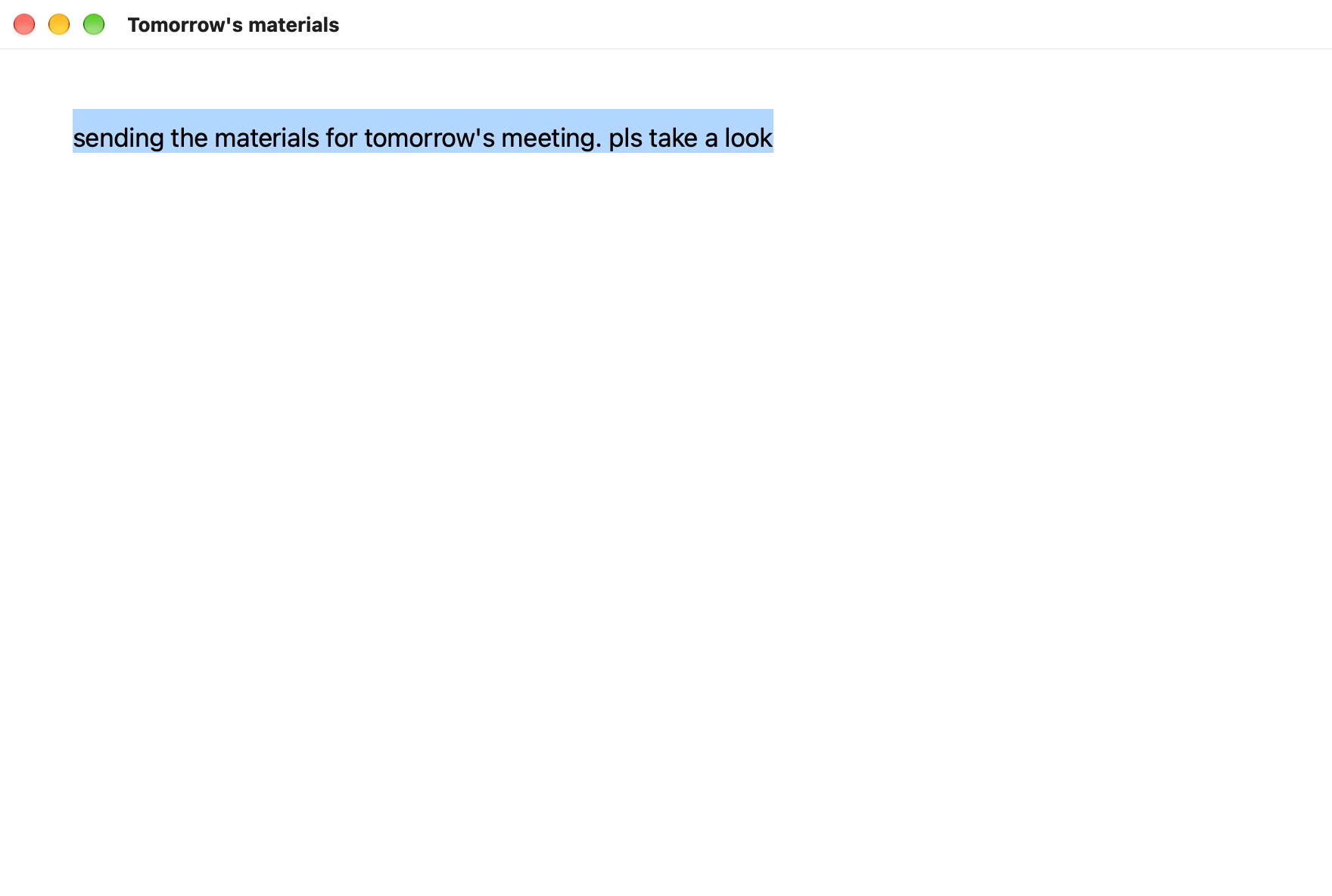
A document window with “sending the materials for tomorrow's meeting. pls take a look” selected

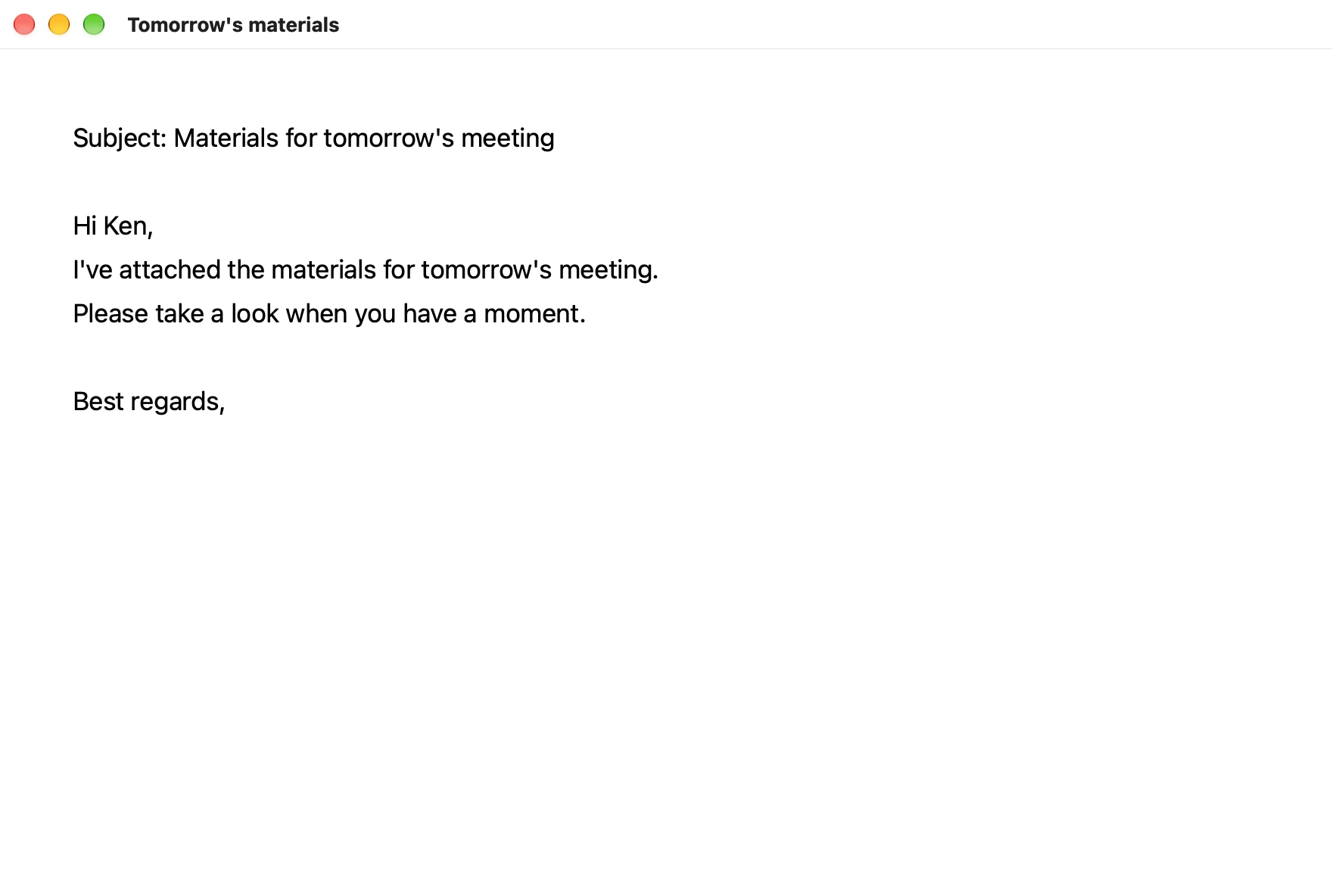
Format as an email

The same window, rewritten as an email with a subject and a greeting

“Fix the typos,” “Put it in Japanese,” “Make it a list” and “Make it polite” work the same way.

In any app, write by voice.

Chat, AI, email, notes, translation, the terminal. Wherever there is a cursor, it types.

Ask for things by voice, too.

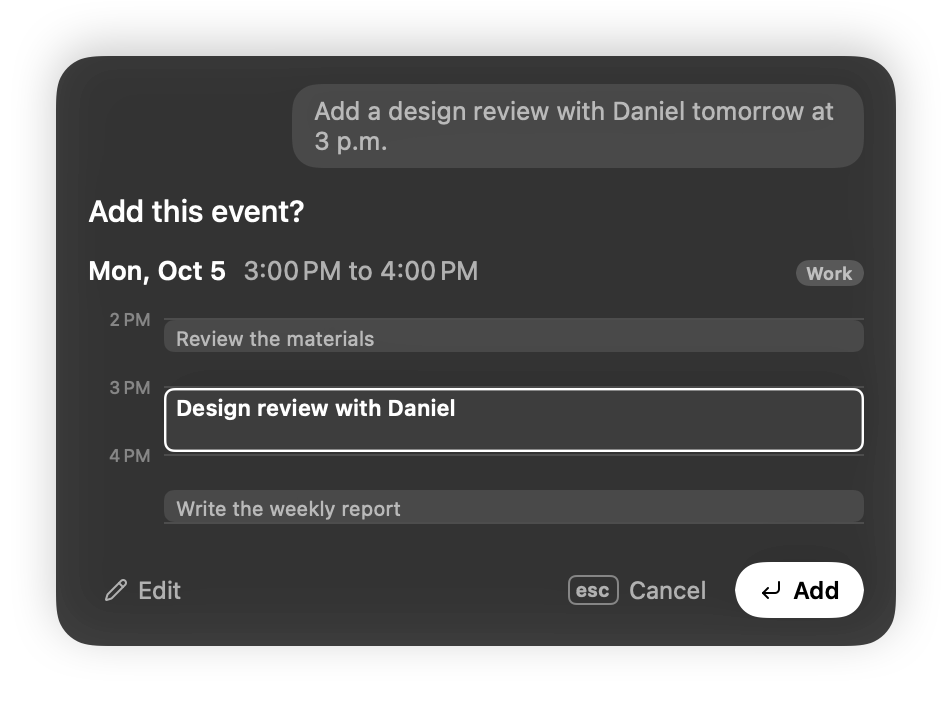
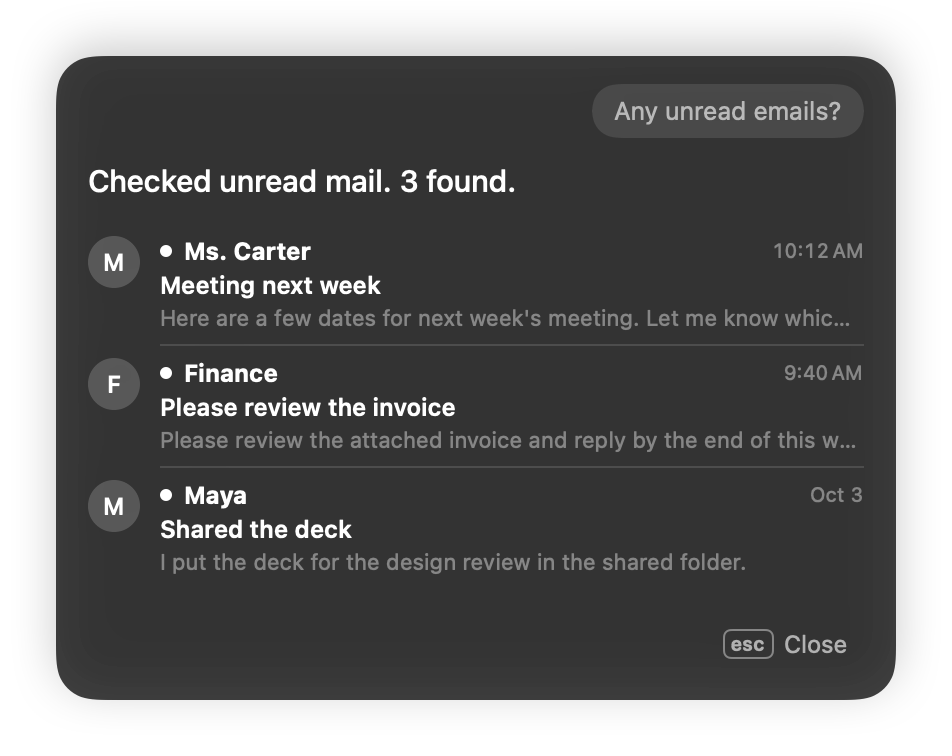
Hold the request key and talk. Open apps and sites, check or add calendar events, read and reply to email, and check or merge pull requests. Messages and reminders work in Japanese for now. Before anything is sent or saved, a confirmation card appears.

Coming soon

Find files in Finder SlackNotionLinearServices with MCP (Slack, Notion, Linear and more)

Built for every day, down to the details.

Your voice becomes text on your Mac

Apple's SpeechAnalyzer listens and Apple Intelligence tidies up. Audio never leaves your Mac.

Let go, and it is there

About 0.1 seconds from when you stop talking to when the text appears, when tidying up without AI.

Names and products, spelled your way

Names, companies and products in your dictionary come out spelled your way when they sound close.

For longer thoughts, let go of the key

Press Right Option twice and keep talking without holding it. Press once more, and everything so far is typed.

Even the failed tries are kept

Every entry is kept: typed, undone, and the ones that did not go through. You can choose not to keep audio.

No Apple Intelligence? No problem

On a Mac without Apple Intelligence, tidy up text with your own API key (OpenAI and others). Text leaves your Mac only when you set a key.

On your Mac, write by voice.

Coming soon

macOS 26 or later · Mac with Apple silicon
With Apple Intelligence you also get rewriting and requests. Without it, dictation still works.

The beta is on its way